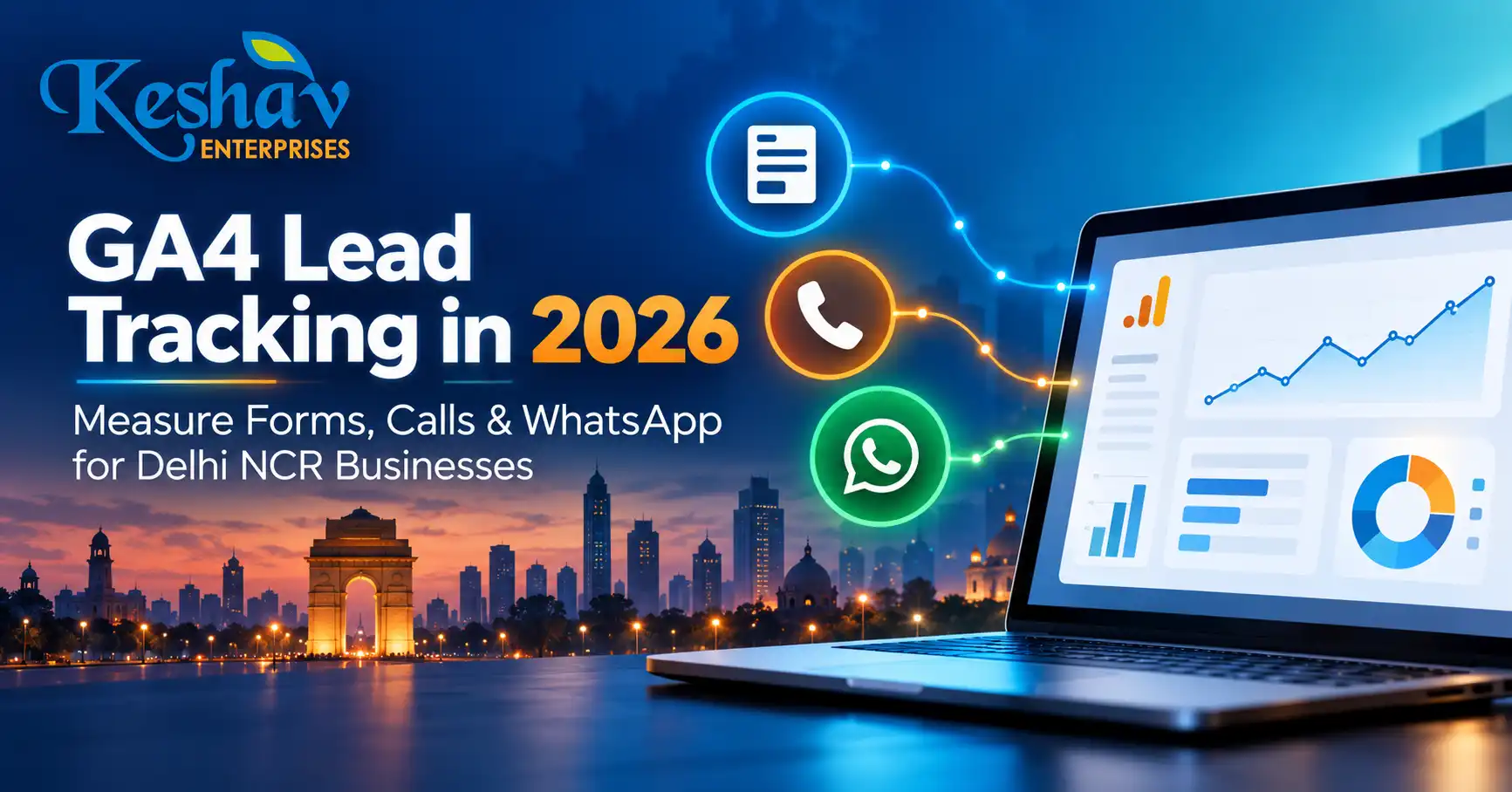
GA4 lead tracking is the process of recording genuine enquiries from your website and connecting them to the channels that generated them. For a Delhi NCR service business, that usually means tracking successful form submissions, phone enquiries, WhatsApp interactions and—where the CRM supports it—whether a lead was qualified or became a customer. The most important distinction is that a click is not the same as a lead.
This guide explains a practical setup for WordPress, React and Next.js websites using Google Analytics 4 (GA4), Google Tag Manager (GTM) and a CRM. It focuses on measurement accuracy, consent, useful reporting and decisions that can improve marketing spend—not invented conversion benchmarks.
Quick answer: how do you track leads in GA4?
Install the Google tag correctly, define which actions represent a completed enquiry, send GA4’s recommended generate_lead event only after a successful submission, mark the appropriate event as a key event, and test it in DebugView. Track call and WhatsApp clicks as separate interactions unless you can verify that a real conversation or qualified enquiry occurred. Use CRM outcomes to distinguish raw leads from qualified leads.
Google’s recommended GA4 events documentation includes generate_lead, qualify_lead, working_lead and close_convert_lead for lead-generation journeys.
Why lead tracking matters more than page-view numbers
A website may receive visitors from Google Ads, organic search, Google Maps, referrals and social media. Page views tell you that pages were loaded; they do not show whether a potential customer completed a meaningful action. A campaign can appear successful when it generates many button clicks while delivering few useful enquiries.
For example, a user who taps a WhatsApp icon might never send a message. Another user might submit a form twice after seeing an error. Counting both interactions as two qualified leads would distort reporting. Accurate measurement requires an agreed definition of a lead and a reliable signal that the action succeeded.
Choose the right events before installing tags
| Business action | Recommended measurement | What it proves | What it does not prove |
|---|---|---|---|
| Visitor opens a page | page_view |
A page view was recorded | Interest or enquiry |
| Visitor clicks a phone link | click_call (custom) |
Phone-link click | Connected or qualified call |
| Visitor clicks WhatsApp | click_whatsapp (custom) |
Messaging-link click | Message sent or lead received |
| Form successfully creates an enquiry | generate_lead |
Submission succeeded | Lead meets sales criteria |
| CRM marks enquiry as qualified | qualify_lead when appropriately implemented |
Lead meets qualification rules | Sale completed |
| CRM records a customer conversion | close_convert_lead when appropriately implemented |
Lead became a customer | Profitability without cost data |
Custom event names are illustrative; choose one naming convention and document it. Google’s recommended events are preferable when they fit the business action.
1. Audit your existing GA4 and Google Tag Manager setup
Before adding a new tag, check what already exists. Many sites contain an analytics plugin, a GTM container, a manually inserted Google tag and a third-party form integration. Multiple installations can cause duplicated events and inflated traffic.
- Identify the GA4 measurement ID and GTM container actually used on the public website.
- Check whether a plugin or framework already sends
page_viewand form events. - Confirm that staging and production environments are not mixed.
- Record the real enquiry paths: contact form, quote form, call button, WhatsApp and booking flow.
- Check the privacy notice, consent mechanism and the legal basis for data collection.
On a React or Next.js frontend with headless WordPress, analytics must run on the public frontend where visitors interact. Installing a tag only on the WordPress admin/backend will not measure the public customer journey.
2. Track successful form submissions, not just submit-button clicks
The most reliable signal is usually a confirmed success response from the form system. A button click can happen even when validation fails, a network request times out or a user is blocked by spam protection.
WordPress forms
Depending on the form plugin, use a documented successful-submission event, a unique thank-you page, or a confirmed callback. Avoid assuming that every form uses the same CSS selector or emits the same JavaScript event.
React and Next.js forms
For a custom form, push a dataLayer event only after the server confirms success. An illustrative implementation is:
if (response.ok && result.saved === true) {
  window.dataLayer = window.dataLayer || [];
  window.dataLayer.push({
    event: "lead_form_success",
    form_name: "contact",
    lead_type: "service_enquiry"
  });
}
This is example logic: adapt the success condition to your API’s real response. In GTM, create a Custom Event trigger for lead_form_success, then send a GA4 Event named generate_lead. Do not push names, email addresses, phone numbers or message contents into GA4 event parameters.
If your form redirects to a dedicated thank-you page, you can use that as the success signal—but ensure the page is not counted as a new lead on every refresh or direct visit.
3. Track call clicks without confusing them with calls
Phone buttons often use tel: links. A GTM click trigger can detect those interactions and send a custom event such as click_call. Include a non-personal parameter like placement with values such as header, footer or landing_page.
A click on a phone link does not confirm that the call connected. If phone calls are a major lead source, evaluate a suitable call-tracking solution that can report connected calls and agreed qualification criteria. Document the difference between a click, a connected call and a qualified conversation.
4. Measure WhatsApp interactions accurately
A WhatsApp button may open an external application or browser conversation. Track the outbound click as a custom interaction event. Do not mark it as a completed enquiry solely because the link opened.
For a more meaningful lead signal, use a CRM or supported messaging integration to record when a genuine conversation starts and whether it meets the business’s qualification criteria. Make sure any attribution method is disclosed and handled appropriately under applicable privacy requirements.
For local businesses in Delhi, Noida, Gurgaon and Ghaziabad, this distinction is particularly useful when a large share of enquiries arrives through calls and messaging rather than website forms.
5. Configure GA4 key events around real outcomes
GA4 uses key events to identify actions important to your business. A sensible starting point is a verified generate_lead event for successful enquiries. Not every engagement event should become a key event.
- Send the intended event from the website.
- Verify the event appears in GA4 DebugView.
- Check that one real submission produces one event.
- Mark the verified lead event as a key event in GA4.
- Compare recorded events with the actual form inbox or CRM.
- Document when an event definition changes so reports remain interpretable.
For campaigns, visit our Google Ads and PPC management page to understand how campaign planning and conversion measurement fit together.
6. Fix duplicate page views on React and Next.js websites
Single-page applications can change routes without a traditional full-page load. If automatic history-based page views and manual GTM history triggers are both enabled, the same route change may be counted twice.
Google’s official GTM single-page application guide explains how to disable automatic history-based measurement when implementing manual GTM route tracking, create a History Change trigger and verify each virtual page view. Its SPA measurement overview explains why page location and referrer handling matter.
Practical QA: open the site, navigate through three client-side routes, and check DebugView. Each intended virtual page should generate one appropriate page_view with the correct URL and page title—not zero and not two.
When the issue is part of the application architecture, our website development team can scope the frontend tracking changes alongside the site’s other technical requirements.
7. Connect form submissions to qualified leads
A marketing dashboard becomes more useful when the sales team agrees on qualification rules. Examples include service fit, target location, budget range and whether the contact details are usable. These are business rules, not GA4 defaults.
Use a CRM record identifier internally to connect the website submission to its later outcome. Do not send personal contact data into standard GA4 event parameters. Where a supported integration exists, send appropriate lead-lifecycle events or offline conversion data using approved methods and privacy safeguards.
Google’s recommended lead-generation events include qualify_lead, disqualify_lead, working_lead and close_convert_lead. Implement them only if your data flow can reliably distinguish those stages.
8. Understand enhanced conversions for leads in 2026
Enhanced conversions for leads can supplement conversion measurement using appropriately processed first-party customer data and offline outcomes. It is not a substitute for correct lead-event definitions, and it is not a reason to send raw customer details into GA4.
Google updated its enhanced-conversions configuration during 2026 and provides official setup guidance. Check the current Google Ads account interface, customer-data terms, consent requirements and supported Data Manager connections before choosing an implementation. Do not assume an old tutorial’s interface labels still match the account.
For many businesses, the right sequence is: fix basic website conversions, connect reliable CRM outcomes, then assess enhanced-conversion capabilities with a qualified implementation specialist.
9. Respect consent and data minimization
Tracking should reflect applicable law, the site’s privacy notice and the visitor’s choices. Consent Mode is a way for Google tags to adjust behavior based on consent state; it does not replace legal compliance or an appropriate consent-management process.
Google’s Consent Mode documentation describes default consent states, updates after user choices and the additional consent parameters introduced in Consent Mode v2.
Never put a visitor’s email, phone number, address, form message or other personal information in GA4 URLs, page titles or ordinary event parameters. Audit whether third-party forms accidentally expose those values in query strings or thank-you page URLs.
10. Build a reporting dashboard that helps decisions
| Metric | How to use it | Common mistake |
|---|---|---|
| Successful form leads | Measure completed enquiries | Counting button clicks |
| Call-link clicks | See where users initiate calls | Calling every click a connected call |
| WhatsApp-link clicks | Compare messaging interest by page | Assuming a message was sent |
| Qualified leads | Evaluate lead fit from CRM outcomes | Changing qualification rules without documenting them |
| Cost per qualified lead | Compare ad spend with usable enquiries | Using all form submissions as qualified leads |
| Lead-to-customer rate | Assess downstream business results | Ignoring delayed sales and offline outcomes |
Illustrative calculation: if advertising costs ₹30,000 and the CRM verifies 15 qualified leads, cost per qualified lead is ₹2,000. These are hypothetical numbers, not results claimed for Keshav Enterprises or its clients.
11. Test the entire lead journey before relying on reports
- Submit one valid test form and confirm exactly one
generate_lead. - Attempt an invalid form and confirm no lead is counted.
- Repeat a form submission only when appropriate and check duplicate handling.
- Test a phone click on a real mobile device.
- Test a WhatsApp click and verify it is labeled as an interaction.
- Navigate between React routes and inspect
page_viewcounts. - Verify event parameters do not include personal information.
- Check that the CRM received the correct lead and source information.
- Test consent choices and their effects on tags.
- Reconcile a sample of GA4 events with actual submissions.
A 14-day GA4 lead-tracking implementation plan
Days 1–3: define events and audit tags
Map the enquiry channels, choose one lead definition, review the existing GTM and GA4 installation, and identify duplicate tracking.
Days 4–7: implement reliable success signals
Connect successful form responses to generate_lead. Track phone and WhatsApp clicks separately. Configure SPA route measurement where necessary.
Days 8–10: validate consent and quality
Test all interactions in GTM Preview and GA4 DebugView. Verify consent behavior, event names, attribution parameters and personal-data handling.
Days 11–14: connect CRM and reporting
Agree on qualification criteria, check source capture, create a concise report and document how the team will reconcile online events with sales outcomes.
This is a suggested implementation sequence, not a guaranteed delivery timeline. Complex CRM, phone-tracking and consent integrations can take longer.
Frequently asked questions about GA4 lead tracking
Can GA4 track WhatsApp leads?
GA4 can track a WhatsApp-link click. Confirming that a message was actually sent or qualified generally requires a suitable messaging or CRM integration.
What is the difference between form_submit and generate_lead?
form_submit may describe a form interaction, while generate_lead is Google’s recommended event for a generated lead. Use a verified success signal for the latter.
How do I track calls from my website?
Track tel: link clicks as interactions. For connected-call measurement, use a suitable call-tracking provider and agreed qualification criteria.
Does GA4 automatically track qualified leads?
No. Qualification happens through business or CRM rules. You must design and validate an appropriate integration if you want to measure that stage.
Can Google Tag Manager track React and Next.js routes?
Yes. Use an appropriate history-change or custom-event implementation, and prevent double counting with GA4’s automatic page-view settings.
Should every click be marked as a key event?
No. Reserve key events for actions that meaningfully represent business outcomes, such as verified lead submissions.
Do I need a separate GA4 property for my WordPress backend?
Usually the public customer journey should be measured on the frontend. Whether the backend needs any analytics is a separate administrative decision and should not distort public-site reporting.
Is enhanced conversions for leads the same as GA4 event tracking?
No. It is a Google Ads measurement capability that can supplement attribution using appropriately processed first-party and offline data. It requires its own setup and compliance review.
Why are GA4 leads higher than the number in my inbox?
Possible causes include duplicate tags, button-click triggers, refreshable thank-you pages, test submissions, spam, failed integrations or differing reporting definitions.
Can I measure leads across Delhi, Noida and Gurgaon?
Yes, where appropriate geographic signals are available and handled lawfully. Avoid assuming that a city inferred from an IP address proves a lead’s actual service location.
Final takeaway: measure enquiries, then measure their quality
Reliable GA4 lead tracking starts with accurate event definitions and successful-submission signals. Keep phone and WhatsApp clicks separate from completed enquiries, validate React route tracking, connect CRM qualification where feasible and review data quality before optimizing advertising spend.
Need help auditing a website’s lead tracking or fixing conversion events? Contact Keshav Enterprises in New Delhi with your public website URL, platform, enquiry channels and the tracking problems you want to solve.