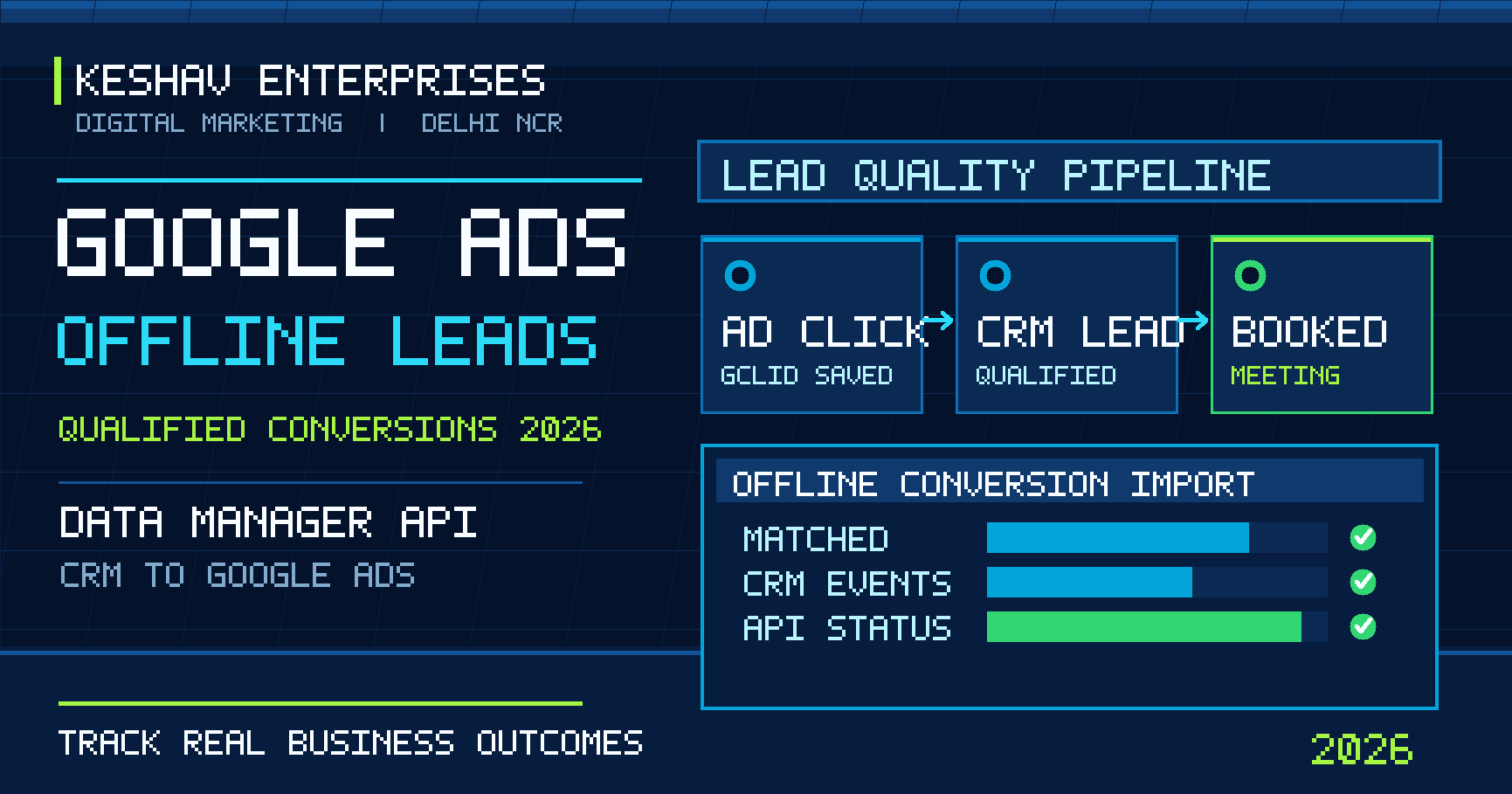
Quick answer: To track Google Ads offline conversions in 2026, connect an ad click or eligible first-party identifier to a real CRM milestone, such as a sales-qualified enquiry or booked consultation, and import that outcome into the correct Google Ads conversion action. For new API integrations, Google’s Data Manager API is the recommended route for enhanced conversions for leads. Capture identifiers lawfully, store a stable lead ID, send events once per actual outcome, and validate imports before using them for bidding. A form submission and a qualified lead are not the same business result.
Updated 31 October 2026. This guide is written for service businesses in Delhi, Noida, Gurugram and Ghaziabad using Google Ads with WordPress, React, Next.js or a CRM. It is a practical implementation framework, not a claim that a particular business achieved a specific return. It complements our wider guidance on website lead measurement and the separate topic of Meta Pixel/Conversions API event deduplication.
What are Google Ads offline conversions?
An offline conversion is a valuable action recorded after the original ad interaction, often outside the website itself. Examples include a salesperson confirming a genuine requirement, a clinic scheduling a consultation, a property consultant arranging a site visit, or a B2B team qualifying a sales opportunity. The website may capture the first enquiry, but the CRM records whether it became useful.
Google Ads can use correctly attributed offline outcomes to improve reporting and, when the appropriate conversion goal is configured, bidding. The goal is not to upload every spreadsheet row. It is to represent a real, consistently defined stage in the customer journey.
| Funnel stage | Example | Suggested measurement |
|---|---|---|
| Ad interaction | Visitor clicks a relevant search ad | Click identifier where available |
| Website enquiry | Validated form saved successfully | Website lead conversion |
| Sales-qualified lead | CRM confirms budget, need and service fit | Offline qualified-lead conversion |
| Booked meeting | Appointment scheduled and accepted | Distinct offline conversion action |
| Closed sale | Deal won and recorded | Sales outcome and appropriate value |
For a local service company, a campaign with fewer form submissions can be more valuable if it produces more qualified enquiries. That is why cost per qualified lead and qualified-lead rate deserve attention alongside cost per form submission.
What changed in 2026: the Data Manager API transition
The 2026 platform change is important for teams building custom integrations. Google’s offline conversion import guidance explains the migration toward the Data Manager API and the restrictions that began on 15 June 2026 for certain new Google Ads API upload integrations. Existing integrations can have different eligibility, so do not assume every legacy upload has stopped working. Check the account’s current integration and access conditions before changing production code.
Google also moved toward a unified enhanced-conversions setting in 2026. Teams should verify the actual setting shown in their account instead of relying on screenshots from older tutorials. Google’s Data Manager API offline-conversions workflow describes destination setup, event identifiers, event ingestion, request status and diagnostics.
Practical decision: If you are starting a new custom offline lead import in late 2026, evaluate Data Manager API or a supported native Data Manager connection first. If an older Google Ads API upload already works, audit its eligibility and transition plan rather than replacing it blindly.
Enhanced conversions for leads versus standard offline imports
Enhanced conversions for leads supplement conversion attribution with eligible first-party customer information, such as an email address or phone number, using the required normalization and hashing rules. Where available, click identifiers such as gclid can also support matching. This differs from an ordinary website event, which usually fires when a user completes an action on the site.
| Method | What it measures | Implementation focus |
|---|---|---|
| Website conversion tag | Form or other online success event | Fire only after confirmed success |
| Legacy click-based offline import | Later CRM milestone matched with an eligible click ID | Capture and preserve click identifier |
| Enhanced conversions for leads | Later CRM milestone with eligible first-party matching signals | Consent, normalization, hashing and CRM identity |
| Data Manager API | API ingestion path for supported conversion events | Destinations, event payloads and diagnostics |
These are related concepts, not four competing advertising platforms. The correct combination depends on your account configuration, consent obligations, CRM fields and conversion definitions.
Step 1: define a real qualified lead before configuring tags
Write a short rule that a salesperson can apply consistently. For example, a qualified website-development lead might have a reachable contact, a stated business requirement, an appropriate service area, a realistic project timeline and a confirmed need for a proposal. A blank form, spam enquiry or accidental WhatsApp tap should not qualify.
- Lead: A successfully received enquiry, not just a click on the submit button.
- Qualified lead: The team has confirmed a documented set of criteria.
- Booked meeting: A real appointment exists, with an agreed date and owner.
- Closed sale: The opportunity is marked won in the CRM, with value recorded appropriately.
Keep one owner responsible for defining each stage. Sales and marketing must agree on the meaning before automated bidding uses the data. For service businesses considering a more structured campaign setup, our Google Ads and PPC services in Delhi NCR explain the wider relationship between campaign planning, landing pages and measurement.
Step 2: capture the original ad interaction and lead identity
Enable the appropriate auto-tagging and ensure the landing page, redirects and forms do not accidentally discard useful identifiers. A gclid can identify certain Google Ads clicks, but it is not present on every visitor or every supported journey. Depending on the campaign and integration, other supported identifiers and eligible first-party matching signals may be relevant.
On a WordPress or Next.js form, record a stable internal lead ID at the moment the server successfully stores the enquiry. Keep acquisition metadata with that record only as needed and permitted. Do not place email addresses or phone numbers inside public URL query parameters. Avoid leaking tracking IDs or personal data to unrelated analytics endpoints.
Test redirects, consent flows, cookie restrictions, form plugins and cross-domain journeys. A lead generated on one domain and processed in another system needs a deliberate handoff, not an assumption that the CRM automatically knows the original ad source.
Step 3: create the right conversion actions in Google Ads
Review the account’s existing conversion actions before creating another. You may already have website leads imported from GA4, a direct Google Ads tag and a CRM integration all describing the same initial submission. If all are marked as primary goals, bidding can optimize against a confusing mixture of duplicate or lower-quality signals.
Separate meaningful stages by name, source and counting logic. For example, Website Enquiry, Sales Qualified Lead and Booked Consultation are different milestones. Choose the appropriate primary or secondary goal status based on the campaign’s optimization strategy. Avoid changing primary goals during an active learning period without reviewing the likely impact.
Important: Two different funnel stages can legitimately produce two conversion actions for the same customer. The problem is when one logical event is accidentally counted multiple times within the same stage or when reporting totals are interpreted as unique customers.
Step 4: connect the CRM and choose the upload method
Begin with the lowest-maintenance supported integration. Some CRMs can connect through Google Ads Data Manager without a custom backend. For custom WordPress, React or Next.js systems, the Data Manager API may provide a suitable route. In either case, document who owns authentication, field mapping, event timing, retries and monitoring.
- Confirm the correct Google Ads conversion customer and destination conversion action.
- Map the CRM status that should trigger each import, and identify the exact timestamp of that status change.
- Map eligible click identifiers and/or normalized first-party user data according to current requirements.
- Assign a stable event or transaction identifier to prevent accidental repeat submissions.
- Test a small, permissioned sample before production uploads.
- Record import responses and investigate diagnostics rather than assuming an accepted request is attributed.
The official Data Manager API send-events guide documents destination preparation and event submission. It also distinguishes request validation from later processing. Do not copy a generic sample payload into production without confirming the current schema and account permissions.
Step 5: normalize, hash and protect first-party customer data
Where user-provided data is permitted and required, follow Google’s exact normalization and SHA-256 hashing guidance. Hashing is not a substitute for a lawful collection basis, appropriate notice, access controls or retention rules. Consent settings and local legal obligations still matter. Keep API credentials on the server, never in client-side JavaScript or public WordPress page markup.
Limit the fields you collect to what is necessary for the business process. Restrict CRM access by role, encrypt sensitive data at rest where appropriate, and establish a retention policy. Never send private notes, medical details or unrelated personal information as custom conversion parameters. In Delhi NCR industries such as healthcare, education and finance, review sector-specific privacy and advertising requirements before enabling a new integration.
Step 6: deduplicate imports and handle CRM status changes
One lead may be edited many times. A salesperson might change a status from New to Contacted, then Qualified, then Booked. An integration that imports the same Qualified event on every CRM save will inflate conversion reporting. Store a per-stage delivery state, timestamp and stable identifier so the event is sent when the actual milestone is reached.
For a failed request, retry safely without inventing a new business event. For a correction to an already recorded conversion, follow the supported adjustment behavior of the chosen API. The Data Manager API upgrade guide describes differences in adjustment handling compared with older Google Ads API workflows.
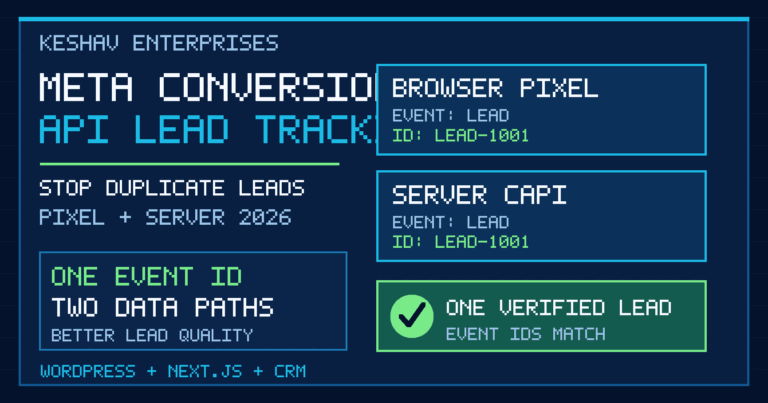
This is related to, but not identical with, the morning article’s Meta Pixel and CAPI browser/server deduplication. Meta’s paired-event IDs solve a different technical problem; Google’s offline CRM import is about attributing a later sales outcome to the relevant ad interaction.
Step 7: verify import diagnostics before changing bidding
A successful HTTP response does not prove that a conversion has been matched, attributed and included in the intended report. Review the Data Manager request status, processing diagnostics, rejected rows, consent issues, identifiers and conversion-action mapping. Compare a sample of CRM records against imported events.
| Symptom | Likely area to inspect | Next check |
|---|---|---|
| Import rejected | Destination, required fields or permission | Validation error and current API schema |
| Import accepted but no conversions visible | Processing delay or attribution | Diagnostics, date range and eligible identifiers |
| Too many qualified leads | Duplicate CRM triggers or goal overlap | One event per real milestone |
| Few matched conversions | Missing click IDs, poor data quality or consent | Landing-page and CRM field capture |
| Wrong campaign learning signal | Primary/secondary conversion configuration | Campaign goals and action settings |
Google Ads conversion reporting may attribute outcomes to the date of the original ad interaction rather than the date the CRM milestone was imported. Allow for processing lag and compare consistent date windows. Do not promise same-day indexing, matching or bidding improvement.
How to implement this on WordPress and Next.js
WordPress and Elementor forms
Choose one server-side submission success hook and ensure the form is actually stored before generating a CRM lead. Test duplicate form plugins, caching, spam protection and redirect handling. A hidden tracking field is not trustworthy merely because it is hidden; validate inputs server-side. Keep the upload credential out of the WordPress theme’s public JavaScript.
React and Next.js websites
Use a controlled backend route or server action to validate the form and create the lead record. A separate worker or secure integration can listen for a qualified status change and submit the event. Avoid sending offline conversion payloads directly from the browser. For custom tracking architecture and form reliability, see our website development services.
CRM workflow
Define required fields, event owners, retry logic, duplicate prevention and a manual reconciliation process. The most useful dashboard combines the advertising source with CRM stages rather than treating every enquiry as a completed sale. Businesses needing a broader technology plan can explore industry-specific digital workflows and our measurement-first approach.
Delhi NCR example: from enquiry to booked consultation
Consider an illustrative service business advertising in Delhi, Noida and Gurugram. A visitor clicks a relevant search ad, submits a valid consultation request, and receives an internal lead ID. A team member calls the prospect, confirms the requirement, and marks the record Qualified. Later, a meeting is booked. The website lead, qualified lead and meeting are three distinct events with different business meanings.
The marketing team can compare campaigns by the share of enquiries that become qualified and the cost per booked meeting. This is more actionable than comparing raw form counts alone. However, it does not justify uploading fabricated stages or assigning arbitrary revenue to unclosed opportunities. Keep values tied to a documented model and label estimates clearly.
Seven-day QA and rollout checklist
- Day 1: Inventory existing Google Ads, GA4, tag-manager and CRM conversion sources.
- Day 2: Agree on lead, qualified-lead, meeting and sale definitions with the sales team.
- Day 3: Test identifier capture, redirects, consent and form success events.
- Day 4: Configure conversion actions and the chosen Data Manager integration.
- Day 5: Submit a small authorized test sample and review request diagnostics.
- Day 6: Reconcile accepted imports against unique CRM milestones and fix errors.
- Day 7: Review goal settings, document owners and set ongoing monitoring alerts.
After launch, review lead-quality trends weekly. A sudden improvement in conversion rate may reflect a changed definition or duplicated event rather than better advertising. Audit the pipeline before making aggressive budget changes.
Frequently asked questions
What is Google Ads offline conversion tracking?
It connects an ad interaction with a later business outcome recorded in a CRM or other approved system, such as a qualified enquiry, booked appointment or completed sale.
What are enhanced conversions for leads?
They use eligible first-party customer information, processed according to Google’s requirements, to improve matching of offline lead outcomes with ad interactions. They complement, rather than replace, a reliable CRM workflow.
Do I still need a GCLID in 2026?
Capture eligible Google Ads click identifiers when available, but do not assume every visit will contain a GCLID. Enhanced conversions for leads can also use permitted first-party matching signals depending on the integration.
Should I use the Google Ads API or Data Manager API?
For new custom offline lead integrations, evaluate Data Manager API first. Since 15 June 2026, some legacy Google Ads API upload paths have access restrictions. Existing integrations require an account-specific eligibility check.
Can a WordPress form send qualified leads directly to Google Ads?
It can feed a CRM or secure backend integration, but qualification normally happens after a human or approved business process confirms the enquiry. Do not call every form submission a sales-qualified lead.
Will Google Ads automatically deduplicate CRM imports?
Do not rely on automatic cleanup of a flawed workflow. Use stable identifiers, stage-specific triggers, supported transaction or adjustment behavior, and reconciliation to prevent accidental duplicate events.
Why are imported conversions missing from reports?
Check request processing, destination permissions, conversion action settings, eligible identifiers, attribution windows, consent and reporting-date differences. A successful upload request is not proof of attribution.
Can offline conversions improve lead quality for Delhi NCR campaigns?
They can provide better feedback about which campaigns generate useful outcomes, provided the CRM definitions and imports are accurate. Improvement is not guaranteed; it depends on data quality, volume, bidding configuration and business operations.
Final takeaway: optimize for qualified outcomes, not inflated form counts
Google Ads offline conversions in 2026 work best when marketing and sales share a clear definition of success. Start with a stable lead ID, eligible identifiers, a trustworthy CRM milestone and one controlled import path. Use the Data Manager API guidance for new integrations, validate every stage and keep privacy safeguards in place. The goal is a more useful signal for decision-making, not a larger conversion number.
Need an audit of your Google Ads lead tracking, WordPress or Next.js forms and CRM pipeline? Contact Keshav Enterprises to discuss your current setup and the business outcome you want to measure.