
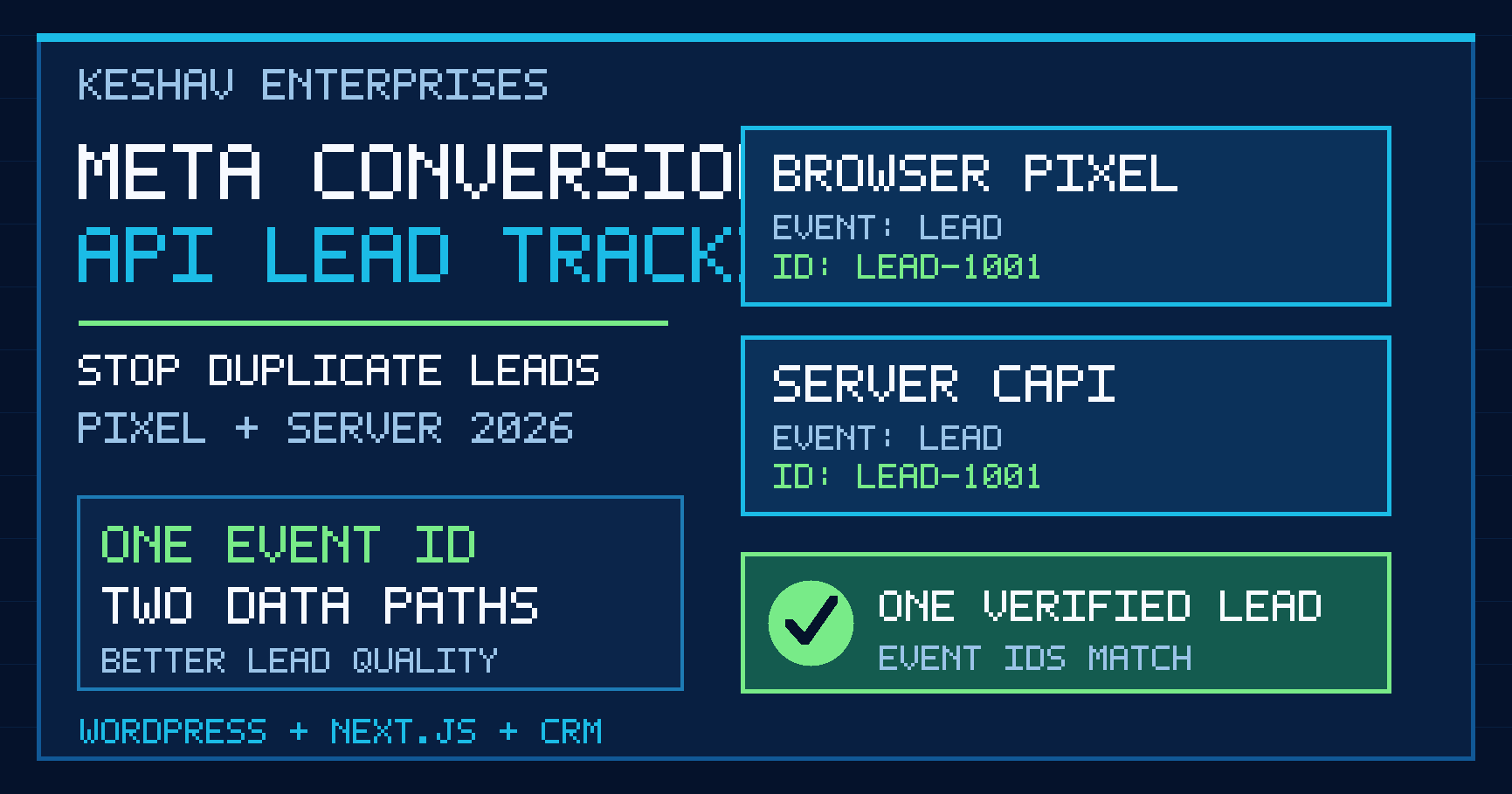
Quick answer: To stop duplicate Meta leads in 2026, send the same event name and event ID for one successful enquiry through both the browser Meta Pixel and the server-side Meta Conversions API (CAPI). In the browser, the identifier is passed as eventID; in the server payload it is event_id. Generate that ID once, preserve it through retries, test both paths in Events Manager, and reconcile the results with actual form submissions or CRM records. Installing CAPI without auditing an existing Pixel can make reporting worse, not better.
Updated 31 October 2026. This guide focuses specifically on Meta Conversions API lead deduplication for WordPress, React and Next.js service websites. It does not repeat our broader GA4 lead-measurement or Google Ads purchase-tracking guidance. The examples are implementation patterns, not claims about a particular client’s results.
What is Meta Conversions API lead tracking?
Meta Conversions API is a server-to-server method for sending business events to Meta’s advertising measurement systems. A browser Pixel may report a visitor action from the public website; CAPI can report the same completed action from an application server, approved partner integration or CRM. Together they can make event collection more resilient, but the two paths must describe the same business event consistently.
For a Delhi NCR service company, the meaningful event may be a successfully stored quote request, consultation booking or contact-form enquiry. A click on a submit button is not proof that a lead was saved. A WhatsApp link click is not proof that a conversation started. Define success before adding any new tracking code.
Meta’s official Conversions API documentation and event parameter reference are the starting points for platform-specific requirements.
Why do Pixel and CAPI sometimes count the same lead twice?
Imagine a visitor submits one enquiry on a WordPress landing page. The Pixel fires Lead in the browser. The form plugin also sends a Lead event through CAPI after the server saves the submission. If the two events have different IDs, Meta may interpret them as two separate conversions. The ad report can then look healthier than the actual lead inbox.
| Situation | Browser Pixel | Server CAPI | Recommended action |
|---|---|---|---|
| Correct dual delivery | Lead, ID A123 | Lead, ID A123 | Check deduplication diagnostics |
| Different IDs | Lead, ID A123 | Lead, ID B987 | Share one stable event ID |
| Different names | Lead, ID A123 | Contact, ID A123 | Align the event definition |
| Duplicate browser tags | Two Lead calls | One Lead call | Remove overlapping tag sources |
| Form failed | Lead fired on click | No successful lead | Trigger only after confirmed success |
Important: Browser/server deduplication is not the same as removing duplicate records in a CRM. You need both reliable event IDs and a separate lead-quality process.
How Meta matches browser and server events
For a paired website event, the recommended matching strategy uses the same event_name and event_id in the same dataset. The Pixel’s browser option is named eventID, while the Conversions API field is event_id. Meta documents a limited deduplication window, commonly described as 48 hours. Do not treat that window as permission to delay events: send valid events promptly and use a stable ID if a network retry occurs.
The _fbp browser identifier, _fbc click identifier and approved customer information can help event matching or attribution where applicable. They do not repair two different event IDs. Use the correct parameters for their actual purpose and follow current platform documentation and consent requirements.
Step 1: audit every existing Meta tracking source
Before installing a plugin or custom API route, list every place a Meta event could originate. A typical WordPress site may have a marketing plugin, a theme-injected Pixel, Google Tag Manager, a landing-page builder and a CRM integration. A Next.js site may also have client components, server actions and webhook workers. Two owners for one event are a common source of reporting errors.
- Identify the production dataset or Pixel ID and the Meta business account that owns it.
- Record each event name, trigger condition, integration and destination.
- Confirm that staging and production do not share an unintended event stream.
- Test whether a rejected form or a page refresh generates a false Lead event.
- Decide which integration owns the browser event and which owns the server event.
- Document a rollback plan before changing tags used by active campaigns.
For websites with multiple custom forms, our website development service explains how conversion-ready forms and analytics fit into a broader build.
Step 2: choose the right event for each customer action
Use Lead when a person completes a meaningful enquiry according to your documented measurement definition. Do not automatically send a Lead event for every button click, page view, call-link tap or abandoned form. If your business separately records a qualified lead or a booked appointment, define those outcomes as distinct events or CRM statuses using supported platform conventions.
| Action | Measurement decision | Why |
|---|---|---|
| Visitor views the contact page | Page view | No enquiry yet |
| Visitor clicks submit but validation fails | No Lead | No confirmed submission |
| Server saves a genuine enquiry | Lead | Completed action |
| Visitor clicks a WhatsApp link | Separate click interaction | Conversation not confirmed |
| CRM marks a lead qualified | Separate documented outcome | Different funnel stage |
This separation is especially useful for Delhi, Noida, Gurugram and Ghaziabad advertisers receiving enquiries through several channels. Compare Meta’s reporting with the actual CRM, not just with another dashboard.
Step 3: generate one stable event ID when the form succeeds
Create a unique, non-personal identifier for each logical submission. A UUID or a securely generated random ID can work. The server must save or otherwise associate the identifier with the lead so it can send the same value through CAPI and reuse it if delivery is retried. Never use an email address, phone number or message text as the event ID.
For a JavaScript form, an illustrative browser-side pattern is:
// After the server confirms the enquiry was saved:
const id = result.eventId; // Stable ID returned by your backend
if (result.saved === true && id && typeof fbq === 'function') {
  fbq('track', 'Lead', {}, { eventID: id });
}
This snippet assumes the backend has already validated the form and returned a stable ID. It is not a complete production implementation. Handle errors, consent, duplicate clicks and the relevant form framework before deployment.
Step 4: send the matching server event through CAPI
The server-side event should use the same name and ID. A simplified conceptual payload is shown below. Required fields and permitted customer information vary by event type and integration, so validate against the current Meta parameter reference before implementation.
{
  "data": [{
    "event_name": "Lead",
    "event_time": 1793400000,
    "event_id": "lead_1001",
    "action_source": "website",
    "event_source_url": "https://example.com/contact/",
    "user_data": {
      "client_user_agent": "example user agent"
    }
  }]
}
Illustrative data only: the timestamp and URL above are placeholders, not values to copy. The API access token must remain on the server. Do not expose it in React components, browser JavaScript, a public repository or a page’s HTML. Record API responses securely, use reasonable retry policies and avoid logging sensitive customer information.
WordPress setup: plugin, form callback or server-side integration?
For WordPress, first check whether the existing Meta integration already sends browser and server events with matching IDs. Adding a second CAPI plugin is not automatically an improvement. If your contact form plugin offers a documented success hook, use that hook to create or retrieve the stable lead identifier. A backend handler can send the server event after the enquiry is saved.
- Single owner: choose one plugin or custom integration for each event path.
- Confirmed success: do not trigger Lead on an unvalidated button click.
- Stable ID: persist the event ID with the lead record or submission metadata.
- Plugin updates: retest after form, consent or tracking-plugin changes.
- Security: protect credentials and validate requests server-side.
For editable WordPress websites with custom forms, see our WordPress development approach. Choose the implementation based on the existing stack rather than installing multiple overlapping plugins.
Next.js and React setup: keep browser and server roles separate
On a Next.js website, the browser component can send a successful-submission event after the server confirms it saved the enquiry. A server route or server action can queue the matching CAPI event using the same ID. The ID should be generated or accepted under controlled conditions and protected against accidental duplicate submissions. A browser event should not fire merely because the page renders.
Store access tokens in server-only environment variables, never in variables exposed to the browser. Validate input, rate-limit abuse, handle retries safely and record an internal status such as capi_sent or capi_failed without exposing private lead details. If the server is temporarily unavailable, queue the event and retry with the original ID rather than inventing a new one.
Headless WordPress may manage content while the Next.js frontend owns visitor interactions. In that architecture, putting a Pixel only on the WordPress backend does not measure the public website. Confirm the tag runs on the real production frontend.
Step 5: verify deduplication in Meta Events Manager
After implementing a controlled test, open the relevant dataset in Events Manager. Use its test and diagnostic views to confirm that both browser and server events arrive with the expected event name and matching identifiers. Review deduplication warnings, event coverage and event match quality. A successful API response proves Meta accepted a request for processing; it does not, by itself, prove a real customer enquiry or successful browser/server deduplication.
- Submit one valid test enquiry using the public form and record its CRM ID.
- Confirm the browser sent exactly one intended
Leadevent. - Confirm the server sent the corresponding
Leadevent. - Compare event name and ID character for character.
- Check that an invalid form does not produce a Lead event.
- Refresh the success page and verify that a second event is not created.
- Retry a failed server request using the original ID.
- Compare event trends with real CRM enquiries over several days.
Common Meta CAPI deduplication errors and fixes
| Symptom | Likely cause | What to inspect |
|---|---|---|
| Reported leads nearly double | Unmatched browser/server IDs or overlapping tags | Event IDs, names, integrations |
| Server events missing | Failed API request or missing consent | Server logs and event diagnostics |
| Event match quality is low | Limited permitted matching signals | Consent and documented user-data fields |
| Many Lead events but few enquiries | Tracking clicks instead of saved submissions | Success trigger and CRM records |
| Staging events in live reports | Wrong dataset or environment configuration | Pixel ID and environment variables |
| Repeat events after retries | New ID generated for each retry | Queue and idempotency design |
Do not diagnose every discrepancy as a technical failure. Attribution windows, delayed reporting, rejected spam leads and differences between Meta and CRM definitions can also produce gaps. Investigate the exact event stream before changing campaign optimization.
Consent, privacy and data minimization in 2026
Server-side tracking is not a workaround for a visitor’s privacy choices. Apply the consent requirements, contractual terms and applicable law relevant to your business and audience. If the implementation uses customer identifiers, share only permitted fields and follow Meta’s current formatting and hashing guidance. Hashing personal data does not automatically make it anonymous or remove privacy obligations.
For Indian businesses, review the applicable legal and regulatory position, including the Digital Personal Data Protection framework and relevant implementation dates, with qualified counsel where necessary. Avoid claiming that one generic cookie banner makes every Meta CAPI deployment compliant. Publish a clear privacy notice, control retention and limit access to event logs.
How should Delhi NCR businesses measure whether CAPI helps?
Track three layers separately: event delivery (did the intended signals arrive?), business reality (how many genuine enquiries were saved?), and sales outcomes (which enquiries became qualified opportunities?). Compare the same time period and event definition. Avoid inventing a conversion lift or promising a lower cost per lead from adding CAPI alone.
A practical dashboard can show successful form submissions, accepted server events, browser/server deduplication status, qualified leads and sales follow-up. Our CRM solutions page covers the broader process of connecting website enquiries with lead ownership and reporting. For campaign strategy, see social media marketing support in Delhi NCR.
Seven-day Meta CAPI implementation checklist
- Day 1: inventory Pixel, GTM, plugin and server integrations.
- Day 2: define the successful lead event and audit consent.
- Day 3: implement one stable event ID per accepted submission.
- Day 4: connect the approved server integration without exposing secrets.
- Day 5: test browser, server, invalid forms, retries and refreshes.
- Day 6: compare event diagnostics with actual CRM enquiries.
- Day 7: document ownership, alerts, rollback and monthly QA.
Keep a short event specification listing event name, trigger, ID source, destination, consent condition, owner and test evidence. That document is more useful than another unreviewed tag.
Frequently asked questions about Meta Conversions API
Do I need both Meta Pixel and Conversions API?
Not every website needs both, but a carefully configured browser-plus-server setup can provide complementary event coverage. Audit existing integrations first and confirm that deduplication works before relying on the numbers.
How do I stop Meta Pixel and CAPI counting the same lead twice?
Use the same event name and the same stable event ID for the browser and server copies of one successful submission. Test both paths in Events Manager and remove duplicate tag sources.
What is the difference between eventID and event_id?
eventID is the browser Pixel option; event_id is the server Conversions API field. They must contain the same value for the paired event.
Can I use the customer’s phone number as the event ID?
No. Use a unique non-personal identifier generated for the event. Handle customer data separately under the relevant consent and platform rules.
Does Meta Conversions API replace Google Analytics 4?
No. They serve different measurement and advertising purposes. Keep Meta event definitions and GA4 key-event definitions documented separately.
Can a WordPress plugin set up CAPI automatically?
Some integrations can, but compatibility and configuration vary. Check whether the plugin already owns the Pixel, whether it sends matching IDs and whether it fires only after a successful enquiry.
Can Next.js send CAPI directly from a browser component?
Keep access tokens and CAPI requests on the server. The browser may send its own Pixel event, but the authenticated server request should use server-only credentials.
Will CAPI guarantee more leads or lower ad costs?
No. CAPI is a measurement and event-delivery method. Campaign results still depend on targeting, creative, landing-page quality, lead handling and other factors.
Final recommendation
For service businesses using Meta Ads in 2026, the safest starting point is not “install more tracking.” It is one verified enquiry, one stable event ID, two coordinated delivery paths and one CRM record. That makes reporting easier to trust and problems easier to debug. If your WordPress or Next.js lead forms need a measurement audit, contact Keshav Enterprises with the website URL, form system and current tracking setup.


