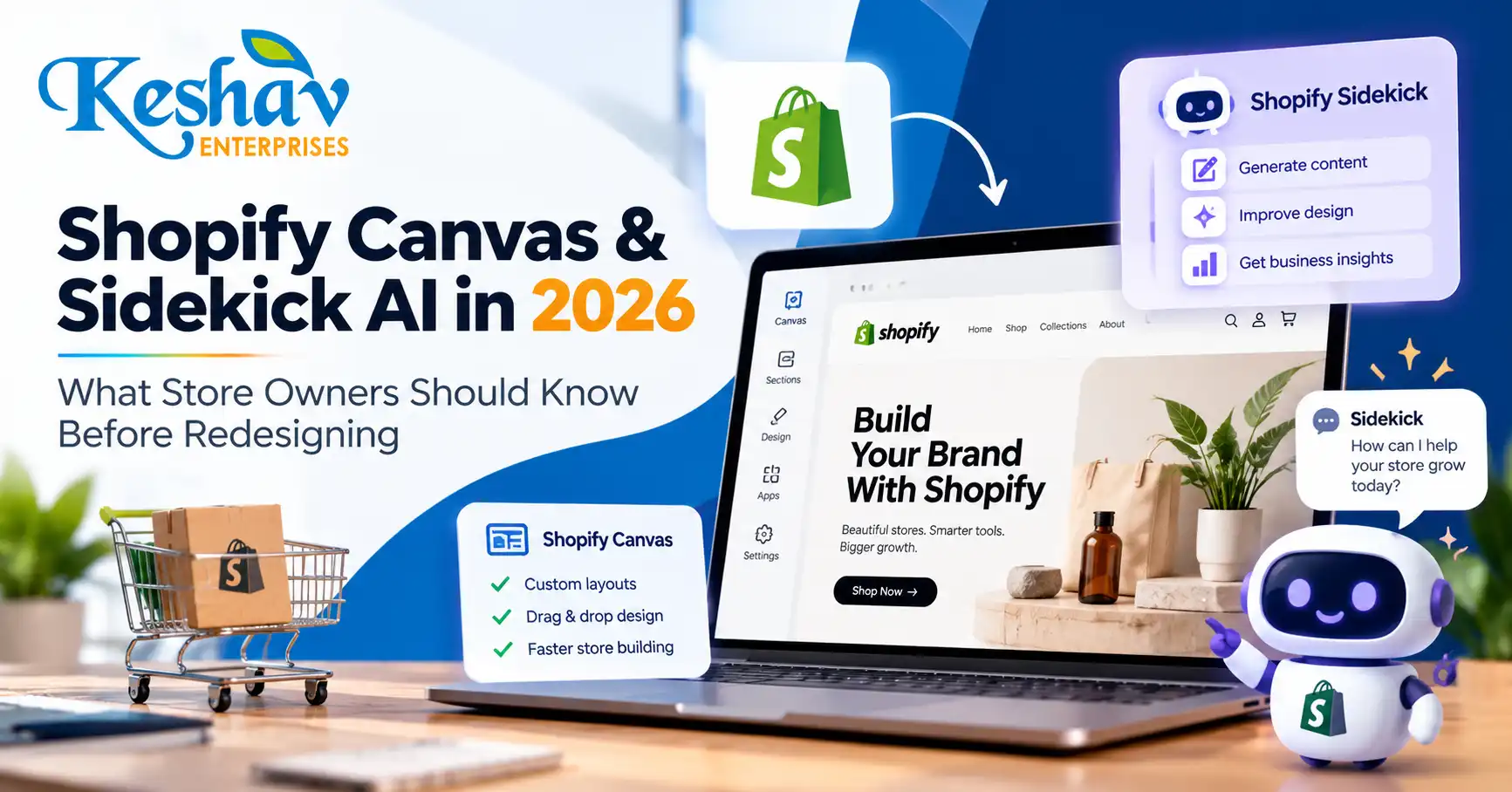
Shopify Canvas is a new AI-assisted store-design workspace announced on 1 October 2026. It lets eligible merchants see multiple theme templates together, make visual changes and ask Shopify’s Sidekick assistant to help build or refine storefront layouts. For business owners, the opportunity is faster experimentation; the risk is publishing a visually attractive store that still has weak product discovery, mobile usability or conversion tracking.
This guide explains what Shopify has actually announced, how Canvas differs from the familiar theme editor, where AI helps, what still needs human review and how ecommerce teams in India and Delhi NCR can prepare without assuming early-access features are already available to every store.
Quick answer: what is Shopify Canvas and Sidekick AI?
Shopify Canvas is a theme-design interface that displays store templates side by side and supports changes through direct editing or conversational instructions to Sidekick AI. Merchants can use it to create a theme, work on a copy of an existing theme and review coordinated changes before publishing. Shopify says Canvas is in early access, so availability depends on store eligibility and rollout.
Shopify introduced Canvas on 1 October 2026. Read the official product announcement and the Canvas navigation guide for the latest product instructions.
Why the October 2026 launch matters for ecommerce businesses
Most online stores are made of interconnected templates: home, collection, product, search, cart and content pages. Editing them separately can produce inconsistent typography, spacing and promotional messaging. Canvas introduces a broader design view so teams can consider those pages together instead of treating each template as an isolated screen.
Shopify describes Sidekick as an assistant that can make coordinated theme changes. That can shorten the time between an idea and a reviewable storefront, but it does not remove the need for merchandising decisions, brand judgment, accessibility testing, SEO checks or real customer research.
The practical question for a merchant is not “Can AI design my store?” It is “Can the new workflow help us make changes that improve product discovery and purchases without breaking what already works?”
Shopify Canvas vs the traditional theme editor
| Area | Traditional Shopify theme editor | Canvas with Sidekick |
|---|---|---|
| Design perspective | Often works on one page or template at a time | Displays multiple templates in a broader workspace |
| Editing | Manual settings, sections and blocks | Manual editing plus conversational AI assistance |
| Cross-template consistency | Requires deliberate checking across templates | Helps review connected templates together |
| Customization | Theme settings and development where needed | Sidekick can help implement coordinated theme changes |
| Availability | Widely available on supported themes | Early access; not every store has Canvas |
| Quality assurance | Still required | Still required; AI output needs review |
Canvas is a new way to work on Shopify themes, not a replacement for ecommerce strategy, checkout configuration, product information or analytics.
What can merchants use Canvas for?
1. Create a more consistent storefront
Review the homepage, collections and product templates together. Align heading styles, button labels, spacing, color usage and product imagery so the experience feels like one brand.
2. Explore a new theme direction before going live
Use a copy or a new theme as the working environment. Test whether the proposed design supports the store’s catalog, promotional calendar and mobile shopping journey before replacing the published theme.
3. Ask Sidekick for structured changes
Instead of asking for “a premium website,” provide a precise brief: improve the mobile collection navigation, clarify size information on product pages, reduce competing calls to action and keep existing product data intact. Clear requirements make AI-assisted editing more reviewable.
4. Coordinate templates rather than creating one-off sections
A promotional banner that works on the homepage may need a different layout on a collection page. A consistent design system can guide variations without duplicating the same section everywhere.
What Shopify Canvas cannot guarantee
Canvas does not guarantee better SEO, higher conversion rates, faster loading or lower development costs. Those outcomes depend on the changes made, existing theme quality, third-party apps, catalog structure, image weight, mobile behavior and measurement.
- SEO: A new visual layout does not automatically create better search intent coverage or structured data.
- Conversions: Attractive layouts can still hide product information or add checkout friction.
- Performance: Extra scripts, videos and oversized assets can slow a redesigned store.
- Accessibility: Contrast, keyboard behavior, labels and focus states require testing.
- Availability: Canvas is not yet accessible to every merchant.
Shopify’s help documentation describes Canvas as early access and available only to selected stores. Avoid planning a launch around a feature until it appears in your own admin.
How to check whether your Shopify store has Canvas
Shopify’s documentation says eligible merchants can access Canvas from the Themes area in Shopify admin. Depending on the theme, you may see options to create a new theme, duplicate a supported theme in Canvas or edit a theme with a Canvas badge.
- Open your Shopify admin and go to Online Store → Themes.
- Look for a Canvas option or a supported theme carrying the Canvas badge.
- Read the eligibility and early-access notes shown in your admin.
- Work on a duplicate or unpublished theme when testing a substantial redesign.
- Review mobile and desktop previews before publishing.
If the option is missing, it may simply not have rolled out to your store. Shopify has not stated that every merchant receives access immediately.
Seven checks to run before an AI-assisted Shopify redesign
1. Audit product discovery
Can customers find the right product within a few steps? Review collections, filters, search suggestions, variant labels and the path from campaign landing page to product detail.
2. Define conversion goals
Choose measurable outcomes: product-page engagement, add-to-cart rate, checkout completion, qualified enquiries or average order value. Do not evaluate a redesign on appearance alone.
3. Protect SEO-critical URLs
Keep existing product and collection URLs unless a change is necessary. If slugs change, plan appropriate redirects. Preserve useful page titles, descriptions, headings, canonical signals and internal links.
4. Review mobile behavior first
Check menus, sticky purchase buttons, product galleries, variant selectors, filters and form fields on common mobile widths. A desktop-perfect theme can still be difficult to buy from on a phone.
5. Measure Core Web Vitals
Use field data and repeatable lab tests. Focus on Largest Contentful Paint, Interaction to Next Paint and Cumulative Layout Shift. Re-test after introducing new animations, apps, fonts or large hero assets.
6. Confirm analytics continuity
Before publishing, verify ecommerce events, attribution, consent behavior and ad-platform integrations. If conversion events disappear after a redesign, the team loses the ability to assess its impact.
7. Create a rollback plan
Keep a known-good theme copy, document app dependencies and define a launch checklist. A controlled rollout is more useful than an irreversible visual overhaul.
Example Sidekick prompts that are actually useful
A good prompt describes the audience, the page, the problem and the constraints. For example:
Improve our mobile product page for first-time shoppers. Keep existing product information, variant functionality, reviews and tracking. Make size selection easier to understand, bring delivery and returns information closer to the purchase button, and preserve our current brand colors.
Review our homepage and collection templates for inconsistent spacing and button styles. Propose a unified design system and implement changes on an unpublished theme copy. Do not remove product filters or change live URLs.
Redesign the collection page for a 150-product catalog. Prioritize mobile filtering, visible prices, clear product imagery and quick access to bestsellers. Keep the layout lightweight and accessible.
These prompts are examples of how to frame a design brief, not a guarantee that every requested operation is supported in a particular store’s current Canvas release.
How Shopify Canvas affects SEO and AI-search readiness
Shopify Canvas is primarily a design workflow. Search visibility still depends on accessible, useful content and a sound technical implementation. During redesign, check whether collection descriptions remain readable, product pages answer buying questions, images have meaningful alt text and navigation links are crawlable.
For answer engines and AI-assisted discovery, useful product information matters more than repeated AI-related keywords. Explain materials, sizes, compatibility, delivery coverage, returns and important product limitations in clear language. Structured data should accurately reflect visible product information, and merchant feeds should stay synchronized.
For stores selling into different countries, avoid inventing location pages or claiming local delivery that is not available. If your business operates in Delhi NCR, focus on real shipping, service and customer-support details rather than keyword-stuffed city references.
Need implementation support? Explore Shopify development in Delhi and ecommerce website development.
Should you redesign your Shopify store now or wait?
| Your situation | Practical next step |
|---|---|
| Store has poor mobile UX or confusing navigation | Audit and improve those issues now, with or without Canvas |
| Theme is stable and conversions are healthy | Test focused changes rather than a full redesign |
| Canvas is available in your admin | Try it on an unpublished theme and compare outcomes |
| Canvas is not available | Use the existing theme editor or development workflow |
| Store relies on complex apps and custom checkout flows | Audit compatibility before changing theme architecture |
| Team lacks clear brand or product content | Fix messaging, catalog and design brief before automation |
30-day Shopify redesign plan for small and growing brands
Week 1: baseline and requirements
Record traffic, conversion, revenue, top landing pages, mobile usability issues and key customer questions. Capture the current theme and app configuration.
Week 2: design and content
Build a clear design brief. Improve category labels, product content, visual hierarchy and trust information. If Canvas is available, test AI-assisted ideas on a separate theme.
Week 3: development and quality assurance
Test navigation, search, filters, variants, cart, payments, mobile layouts, accessibility, speed and analytics. Compare the new theme with the baseline.
Week 4: controlled launch and measurement
Publish only after critical checks pass. Monitor checkout errors, conversion changes, traffic and page performance. Keep a rollback path and prioritize fixes based on evidence.
These four weeks are a planning example, not a universal project timeline. Larger catalogs and complex integrations can require more time.
What should Delhi NCR businesses consider?
For a Delhi, Noida, Gurgaon or Ghaziabad brand, an AI-assisted design tool is most useful when it supports actual buying behavior. Ask whether customers need COD clarity, delivery estimates, local language support, GST invoice details, product comparisons or easy access to customer service. The right requirements vary by product category and fulfillment model.
A local agency can help connect design, theme development, SEO and analytics, but the important deliverable is a tested buying experience—not simply a fashionable AI-generated storefront. Keshav Enterprises offers UI/UX design support and Shopify implementation based on the store’s requirements.
Frequently asked questions about Shopify Canvas
When did Shopify launch Canvas?
Shopify announced Canvas on 1 October 2026 and described a phased rollout over the following days.
Is Shopify Canvas available to every store?
No. Shopify’s help center currently describes it as an early-access feature available to selected stores.
Is Canvas the same as Sidekick?
No. Canvas is the store-design workspace; Sidekick is Shopify’s AI assistant that can help propose and implement theme changes within that workflow.
Can Sidekick create a custom Shopify theme?
Shopify describes theme creation and coordinated editing with Sidekick. The exact actions available depend on eligibility, theme compatibility and the current product release.
Does Canvas replace a Shopify developer?
Not necessarily. Merchants may be able to make more changes themselves, but custom integrations, unusual workflows, debugging, accessibility and complex conversion problems can still require development expertise.
Will using Canvas improve Google rankings?
Not automatically. Rankings depend on content relevance, crawlability, page quality, technical SEO and many other signals. A redesign can help or hurt depending on implementation.
Can I use Canvas for an existing store?
Shopify describes workflows for editing supported themes and working on theme copies. Check your admin and the latest help documentation for eligibility.
Should I redesign my entire store at once?
Usually start with the most important customer journey and measure improvements. A full redesign makes sense when the current structure or design system creates widespread problems.
Can Canvas help with mobile design?
It can help you review and edit theme layouts, but mobile usability still needs hands-on testing across device widths and customer journeys.
What is the safest way to try AI-assisted changes?
Use an unpublished theme or duplicate, document changes, test checkout and analytics, and publish only after quality assurance.
Final takeaway
Shopify Canvas and Sidekick AI make store-design experimentation more accessible, but they do not replace clear strategy and careful testing. The strongest ecommerce redesign combines a coherent visual system, useful product information, fast mobile pages, dependable checkout and measurement. Start with the problems customers face, then decide whether Canvas is the right tool to solve them.
If you are planning a new store or redesign, contact Keshav Enterprises with your store URL, platform details, top conversion problems and target market. We can help define a practical Shopify design and development scope.